%20%20--%3E%0A%3Csvg%20version%3D%221.1%22%20id%3D%22Layer_1%22%20xmlns%3D%22http%3A%2F%2Fwww.w3.org%2F2000%2Fsvg%22%20xmlns%3Axlink%3D%22http%3A%2F%2Fwww.w3.org%2F1999%2Fxlink%22%20x%3D%220px%22%20y%3D%220px%22%0A%09%20viewBox%3D%220%200%20684.6%2068.1%22%20style%3D%22enable-background%3Anew%200%200%20684.6%2068.1%3B%22%20xml%3Aspace%3D%22preserve%22%3E%0A%3Cg%3E%0A%09%3Cpath%20d%3D%22M444.1%2C29.3h-17.4v14.5h17.4V29.3z%20M36.4%2C68.1l29.3-50.8V0H50.4L32.9%2C36.8L15.5%2C0H0v68.1h16.7V45.8l12.4%2C22.3H36.4z%0A%09%09%20M49.1%2C68.1h16.6V23.4L49.1%2C52.1V68.1z%20M76.6%2C68.1h45V53.8H93.3V41.6h21V27.1h-21V14.8h28.3V0.1h-45V68.1z%20M175.6%2C68.1h17.3v-68%0A%09%09h-16.5v40.3L150%2C0.1h-17.6v68h16.7V27.7L175.6%2C68.1z%20M235.8%2C14.8h15.4V0.1h-47.4v14.7H219v53.2h16.8V14.8z%20M290.3%2C45.9h-17.1%0A%09%09l7.5-15.6h2L290.3%2C45.9z%20M298.7%2C68.1h18l-32.2-68h-5.7l-32%2C68h18l3.3-7.1h27.1L298.7%2C68.1z%20M325.2%2C68.1h46.2V53.8h-29.6V0.1h-16.7%0A%09%09V68.1z%20M423.7%2C14.8h27.2V0.1H407v68h16.7V14.8z%20M462%2C68.1h46.2V53.8h-29.6V0.1H462V68.1z%20M564.8%2C34.1c0%2C10.7-7.2%2C19.2-18.5%2C19.2%0A%09%09c-11.4%2C0-18.5-8.5-18.5-19.2s7.1-19.2%2C18.5-19.2C557.6%2C14.9%2C564.8%2C23.4%2C564.8%2C34.1%20M580.6%2C34.1c0-19-14.2-34-34.3-34%0A%09%09c-20.2%2C0-34.3%2C15-34.3%2C34c0%2C19%2C14.1%2C34%2C34.3%2C34C566.4%2C68.1%2C580.6%2C53.1%2C580.6%2C34.1%20M604.8%2C20.5c0-4.1%2C3.3-6.2%2C6.7-6.2%0A%09%09c4.4%2C0%2C6.6%2C3%2C6.6%2C6.6h14.7C631.8%2C9.1%2C625.1%2C0.1%2C611%2C0.1c-12%2C0-21.7%2C9.3-21.7%2C20.6c0%2C10.9%2C5.9%2C15.9%2C16.7%2C19.8%0A%09%09c5.2%2C1.8%2C11.5%2C3.2%2C11.5%2C8c0%2C3.3-2.4%2C5.5-6.4%2C5.5c-3.6%2C0-6.6-3-6.6-6.7h-15.2c0%2C11.5%2C7.9%2C20.8%2C21.8%2C20.8c12%2C0%2C21.6-9.3%2C21.6-20.6%0A%09%09c0-10-5.3-16.4-16.7-19.8C610.6%2C26.1%2C604.8%2C25.3%2C604.8%2C20.5%20M670%2C20.9h14.7C683.8%2C9.1%2C677.1%2C0.1%2C663%2C0.1c-12%2C0-21.7%2C9.3-21.7%2C20.6%0A%09%09c0%2C10.9%2C5.9%2C15.9%2C16.7%2C19.8c5.2%2C1.8%2C11.5%2C3.2%2C11.5%2C8c0%2C3.3-2.4%2C5.5-6.4%2C5.5c-3.6%2C0-6.6-3-6.6-6.7h-15.2c0%2C11.5%2C7.9%2C20.8%2C21.8%2C20.8%0A%09%09c12%2C0%2C21.6-9.3%2C21.6-20.6c0-10-5.3-16.4-16.7-19.8c-5.4-1.6-11.3-2.4-11.3-7.2c0-4.1%2C3.3-6.2%2C6.7-6.2C667.7%2C14.4%2C670%2C17.3%2C670%2C20.9%0A%09%09%22%2F%3E%0A%3C%2Fg%3E%0A%3C%2Fsvg%3E%0A)

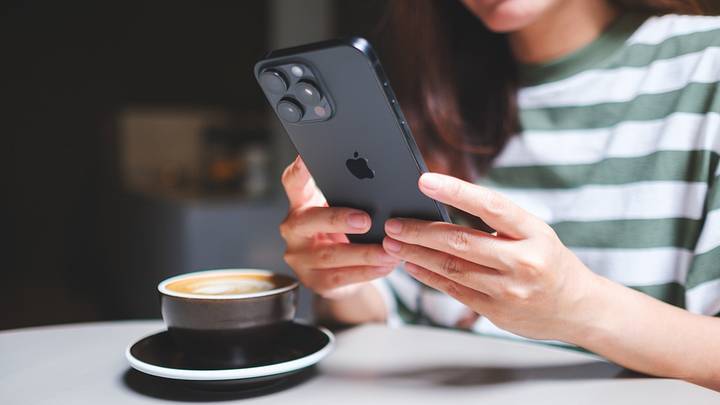
If your iPhone underwent an update in May 2026, you might have noticed the word “encrypted” appearing at the top of some of your text threads.
This actually isn’t an indication that anything has changed. It’s just Apple’s newest way of letting you know that, in an era of ever-increasing digital privacy concerns, their text message service is still private.
What Does Encrypted Mean?

Encryption is essentially a way of scrambling data so that it can only be read by someone with a specific digital “key.” This means that when you send an iMessage, its contents are immediately scrambled before being delivered to the recipient, whose device has the digital key needed to open the message.
Encryption is generally used to protect financial transactions and other sensitive information online. It also prevents hackers, spies, and other bad actors from accessing your information and is vital to keeping the internet safe.
iMessage uses encryption to make sure that no one else can read your messages except the intended recipient. In Apple’s case, iMessages use end-to-end encryption, which means only the sender and recipient can read the message, not Apple or anyone else.
Are All iPhone Messages Encrypted?

In short, not all the texts you send with your iPhone are completely private. iMessages—or messages sent with iMessage technology—appear in blue bubbles, while green messages signify messages sent via short messaging service (SMS), multimedia message service (MMS), or rich communication services (RCS).
A green bubble might indicate that you’re texting someone without an iPhone, or that iMessage is temporarily unavailable or turned off, which can be caused by a poor internet connection or other factors.
On iPhones, all blue iMessages are encrypted, but those green non-iMessages aren’t. However, in early May, Apple began testing out end-to-end encryption for all messages sent on iPhones, not just iMessages, but that update hasn’t officially come out yet.
For now, you can check whether the word “encrypted” appears under your messages to see whether your data is completely safe. This update occurred at the same time that Meta removed end-to-end encryption from Instagram messages, which may have inspired Apple to more visibly remind users that its messaging service remains private.
How to Protect Your Digital Privacy

If you’re concerned about digital privacy and want to be able to securely message under all circumstances, entirely end-to-end encrypted apps like Signal can be a good alternative to standard texting.
Additionally, iMessages are typically stored in iCloud, and they may not be entirely safe there if you’re using Standard Data Protection, which is the iPhone’s default setting. Standard Data Protection allows Apple to access your data for certain purposes, such as assisting with account recovery, though categories such as payment information always remain encrypted.
If you want to protect your messages with maximum security measures, you may want to turn on Advanced Data Protection. This will require you to set up at least one alternative method of password recovery, but will make sure that not even Apple can access any of your photos and messages under any circumstances.
Other simple ways to protect your digital privacy include using a VPN (Virtual Private Network), which hides your location and browsing information from hackers; disabling ad trackers by declining pop-ups and cookies; setting up two-factor authentication when possible; and using strong passwords.