%20%20--%3E%0A%3Csvg%20version%3D%221.1%22%20id%3D%22Layer_1%22%20xmlns%3D%22http%3A%2F%2Fwww.w3.org%2F2000%2Fsvg%22%20xmlns%3Axlink%3D%22http%3A%2F%2Fwww.w3.org%2F1999%2Fxlink%22%20x%3D%220px%22%20y%3D%220px%22%0A%09%20viewBox%3D%220%200%20684.6%2068.1%22%20style%3D%22enable-background%3Anew%200%200%20684.6%2068.1%3B%22%20xml%3Aspace%3D%22preserve%22%3E%0A%3Cg%3E%0A%09%3Cpath%20d%3D%22M444.1%2C29.3h-17.4v14.5h17.4V29.3z%20M36.4%2C68.1l29.3-50.8V0H50.4L32.9%2C36.8L15.5%2C0H0v68.1h16.7V45.8l12.4%2C22.3H36.4z%0A%09%09%20M49.1%2C68.1h16.6V23.4L49.1%2C52.1V68.1z%20M76.6%2C68.1h45V53.8H93.3V41.6h21V27.1h-21V14.8h28.3V0.1h-45V68.1z%20M175.6%2C68.1h17.3v-68%0A%09%09h-16.5v40.3L150%2C0.1h-17.6v68h16.7V27.7L175.6%2C68.1z%20M235.8%2C14.8h15.4V0.1h-47.4v14.7H219v53.2h16.8V14.8z%20M290.3%2C45.9h-17.1%0A%09%09l7.5-15.6h2L290.3%2C45.9z%20M298.7%2C68.1h18l-32.2-68h-5.7l-32%2C68h18l3.3-7.1h27.1L298.7%2C68.1z%20M325.2%2C68.1h46.2V53.8h-29.6V0.1h-16.7%0A%09%09V68.1z%20M423.7%2C14.8h27.2V0.1H407v68h16.7V14.8z%20M462%2C68.1h46.2V53.8h-29.6V0.1H462V68.1z%20M564.8%2C34.1c0%2C10.7-7.2%2C19.2-18.5%2C19.2%0A%09%09c-11.4%2C0-18.5-8.5-18.5-19.2s7.1-19.2%2C18.5-19.2C557.6%2C14.9%2C564.8%2C23.4%2C564.8%2C34.1%20M580.6%2C34.1c0-19-14.2-34-34.3-34%0A%09%09c-20.2%2C0-34.3%2C15-34.3%2C34c0%2C19%2C14.1%2C34%2C34.3%2C34C566.4%2C68.1%2C580.6%2C53.1%2C580.6%2C34.1%20M604.8%2C20.5c0-4.1%2C3.3-6.2%2C6.7-6.2%0A%09%09c4.4%2C0%2C6.6%2C3%2C6.6%2C6.6h14.7C631.8%2C9.1%2C625.1%2C0.1%2C611%2C0.1c-12%2C0-21.7%2C9.3-21.7%2C20.6c0%2C10.9%2C5.9%2C15.9%2C16.7%2C19.8%0A%09%09c5.2%2C1.8%2C11.5%2C3.2%2C11.5%2C8c0%2C3.3-2.4%2C5.5-6.4%2C5.5c-3.6%2C0-6.6-3-6.6-6.7h-15.2c0%2C11.5%2C7.9%2C20.8%2C21.8%2C20.8c12%2C0%2C21.6-9.3%2C21.6-20.6%0A%09%09c0-10-5.3-16.4-16.7-19.8C610.6%2C26.1%2C604.8%2C25.3%2C604.8%2C20.5%20M670%2C20.9h14.7C683.8%2C9.1%2C677.1%2C0.1%2C663%2C0.1c-12%2C0-21.7%2C9.3-21.7%2C20.6%0A%09%09c0%2C10.9%2C5.9%2C15.9%2C16.7%2C19.8c5.2%2C1.8%2C11.5%2C3.2%2C11.5%2C8c0%2C3.3-2.4%2C5.5-6.4%2C5.5c-3.6%2C0-6.6-3-6.6-6.7h-15.2c0%2C11.5%2C7.9%2C20.8%2C21.8%2C20.8%0A%09%09c12%2C0%2C21.6-9.3%2C21.6-20.6c0-10-5.3-16.4-16.7-19.8c-5.4-1.6-11.3-2.4-11.3-7.2c0-4.1%2C3.3-6.2%2C6.7-6.2C667.7%2C14.4%2C670%2C17.3%2C670%2C20.9%0A%09%09%22%2F%3E%0A%3C%2Fg%3E%0A%3C%2Fsvg%3E%0A)

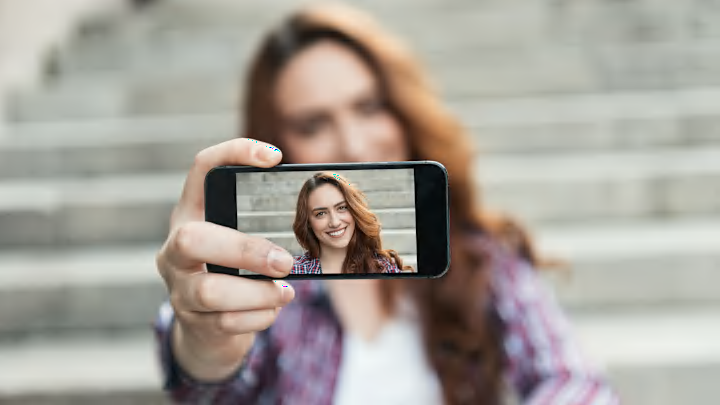
Think you’re your own harshest critic? Your phone camera might disagree. You can be having the best hair day, eyeliner on point, skin clear as day—and still snap a selfie that feels slightly off. It looks like you…just not quite the way you’re used to seeing yourself in the mirror.
So is it dysmorphia, or just a dysfunctional camera? Before you jump to conclusions (or blame your angles), it helps to understand what your phone is actually doing behind the scenes. It isn’t showing you exactly what others see—at least not right away.
Here’s why phone cameras flip images in the first place.
The Mirror Effect

Mirror, mirror on the screen, are you really as fair as you seem? Yes—and no. When you open your front-facing camera, what you see is usually a reflected version of your face, much like looking into a bathroom mirror. That’s intentional. People are used to seeing themselves this way in mirrors, storefront reflections, and other everyday surfaces, so it feels more natural while framing a shot. Psychologically, it also lines up with what’s called the mere exposure effect: our preference for familiar versions of ourselves.
That familiarity is why small details—your freckles, a slightly uneven eye, or a “bad side” you’ve memorized—feel normal in the preview. But when the image is flipped back to how others see you, those same features can suddenly feel unfamiliar. That’s why the preview you see while taking the photo is mirrored, even though the final image may not be.
Behind the Screen
So what’s actually happening when you click capture? It all comes down to how your phone handles front-facing camera data. As we now know, the live preview is often mirrored so it matches the reflection you’re used to in real life. That makes posing for a photo feel intuitive: left and right behave the way your brain expects. But once you take the photo, the device has to decide how to store it.
On some phones, especially iPhones, the saved image may be automatically “unflipped” to match how others would see you, even though the preview looked mirrored. That’s also why any text in the background can appear reversed. On other devices—or in apps like Snapchat—the software may keep the image mirrored unless you change the setting. Rear cameras, by contrast, don’t mirror images at all; they capture the scene exactly as it appears in real life.
Flipping the Script

Now for the real question: can you fix your selfie—or, more importantly, your self-esteem? In many cases, yes. Most smartphones include a setting that lets you choose whether selfies are saved as mirrored or flipped images, though it’s often buried in the camera options and easy to overlook.
On iPhones, for example, a “Mirror Front Camera” toggle controls whether your selfies stay as a reflection or are automatically flipped to match how others see you. On many Android phones, similar options can also be found in the camera settings, allowing you to choose whether images are saved as previewed or automatically flipped after capture, though the exact wording and placement can vary by device.
Still, the experience isn’t entirely uniform across phones, and you may not notice which version you’re getting until you compare them side by side. But that’s the key point: neither version is inherently more “correct.” One reflects how you instinctively see yourself; the other reflects how everyone else sees you.
In the end, the flip isn’t a glitch or distortion: it’s just a built-in choice between familiarity and reality.